Essentials
£29per month
Keep everyday follow up organised.
- Customer records and linked activity
- Enquiries, ownership and tasks
- 1 user; extra users £10/month each

Veyron One brings enquiries, customer records and daily operations into one shared CRM, configured around your team.
Keep customers, quotes, jobs and next actions connected. Give your team a clear view of what needs attention, what was agreed and who is taking it forward. Ask One, your AI agent, helps you find answers and take the next step.
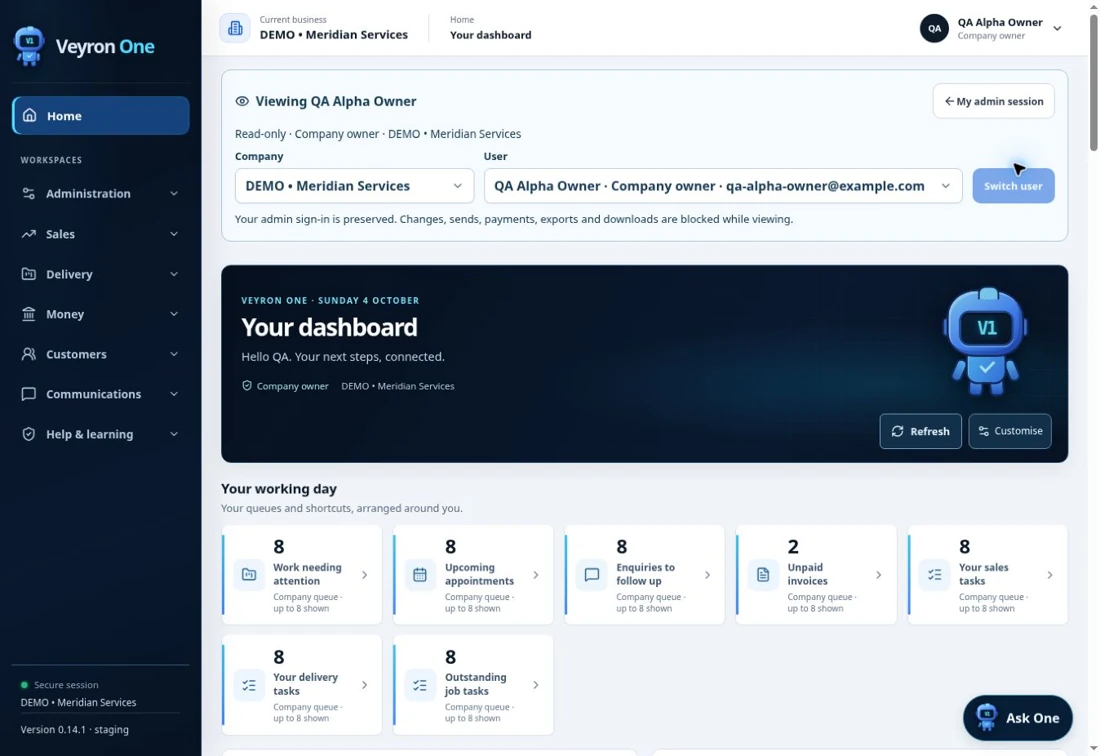
Compare the essentials now. Expand the detail when you need it.
Keep everyday follow up organised.
Connect sales with delivery.
| What you get | Essentials | Pro |
|---|---|---|
| Included users | 1 | 1 |
| Each additional user | £10/month | £15/month |
| Customer records and linked activity | Included | Included |
| Enquiry status, ownership and follow up | Included | Included |
| Tasks and reminders | Included | Included |
| Quotes and version history | Not included | Included |
| Jobs, projects and milestones | Not included | Included |
| Appointments and team views | Not included | Included |
| Personal dashboards and reporting | Not included | Included |
| Invoice balances and payment records | Not included | Included |
| Customer documents and audit history | Not included | Included |
| Ask One: permitted guidance and actions | Not included | Included |
Costs to know: Both plans include one user. Optional setup starts from £99 for either plan. Website enquiry connections, customer imports, bespoke integrations, provider usage and ongoing services are scoped and quoted before you commit. Invoice payment records do not collect money.
Agree the scope. Stay informed. Improve with evidence.
Where enquiries arrive, how work moves and what your team needs to see.
Choose the plan, roles, configuration, training and any migration or connections.
Set up the agreed workflow and guide your team through the relevant screens.
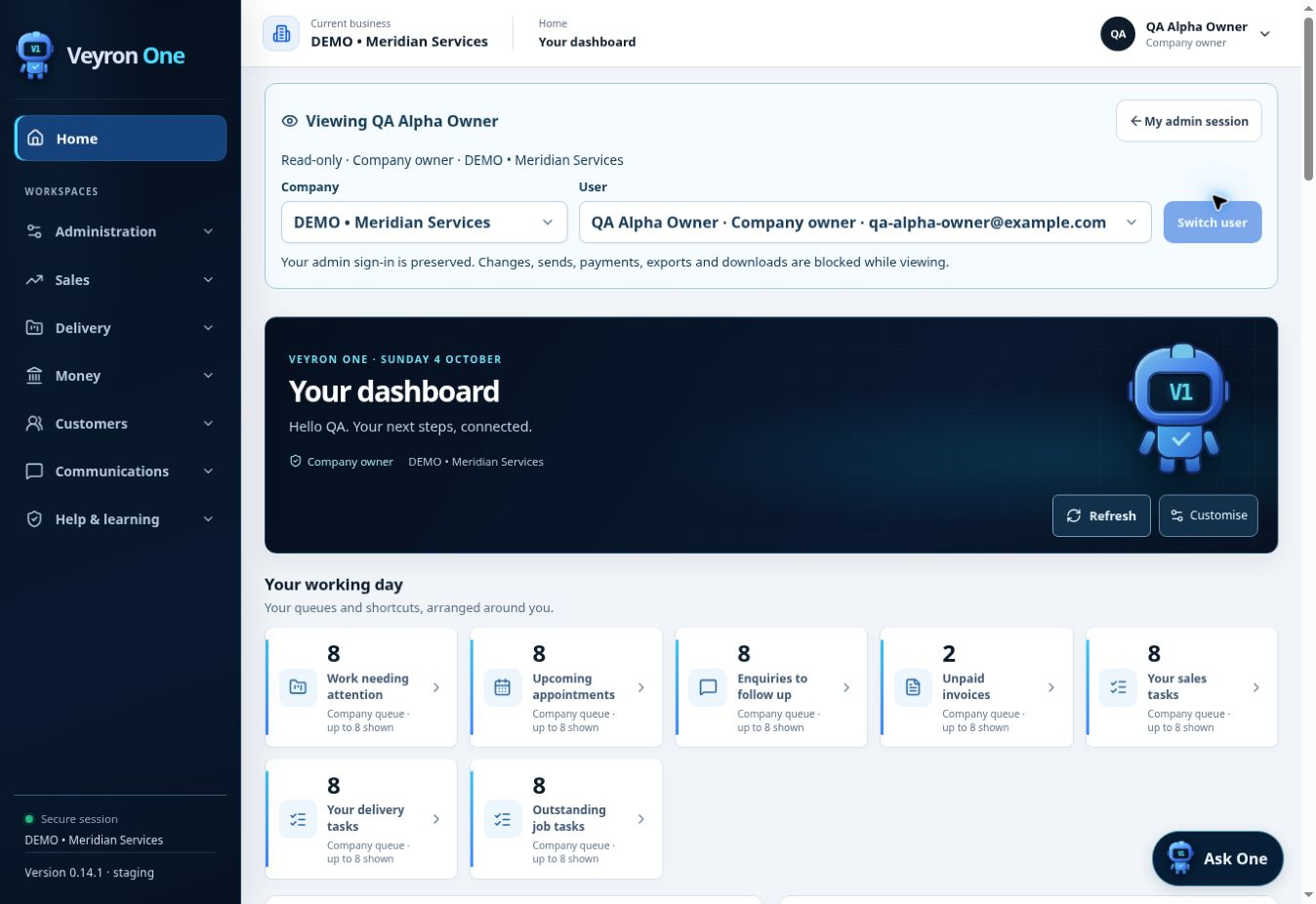
Your working day brings customer follow ups, appointments, invoices and outstanding work together.
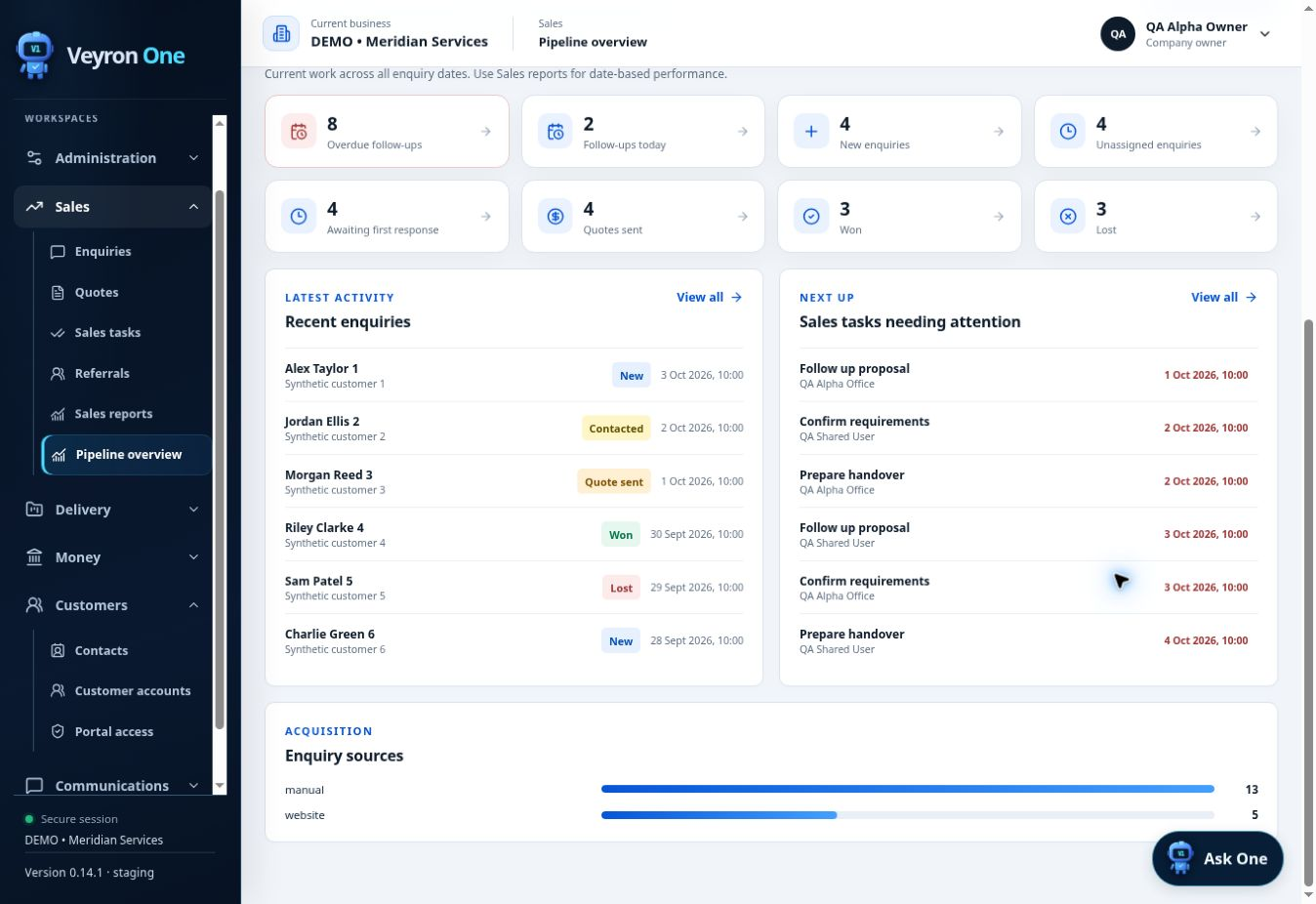
See enquiry stages, overdue follow ups and the sales tasks that need attention.
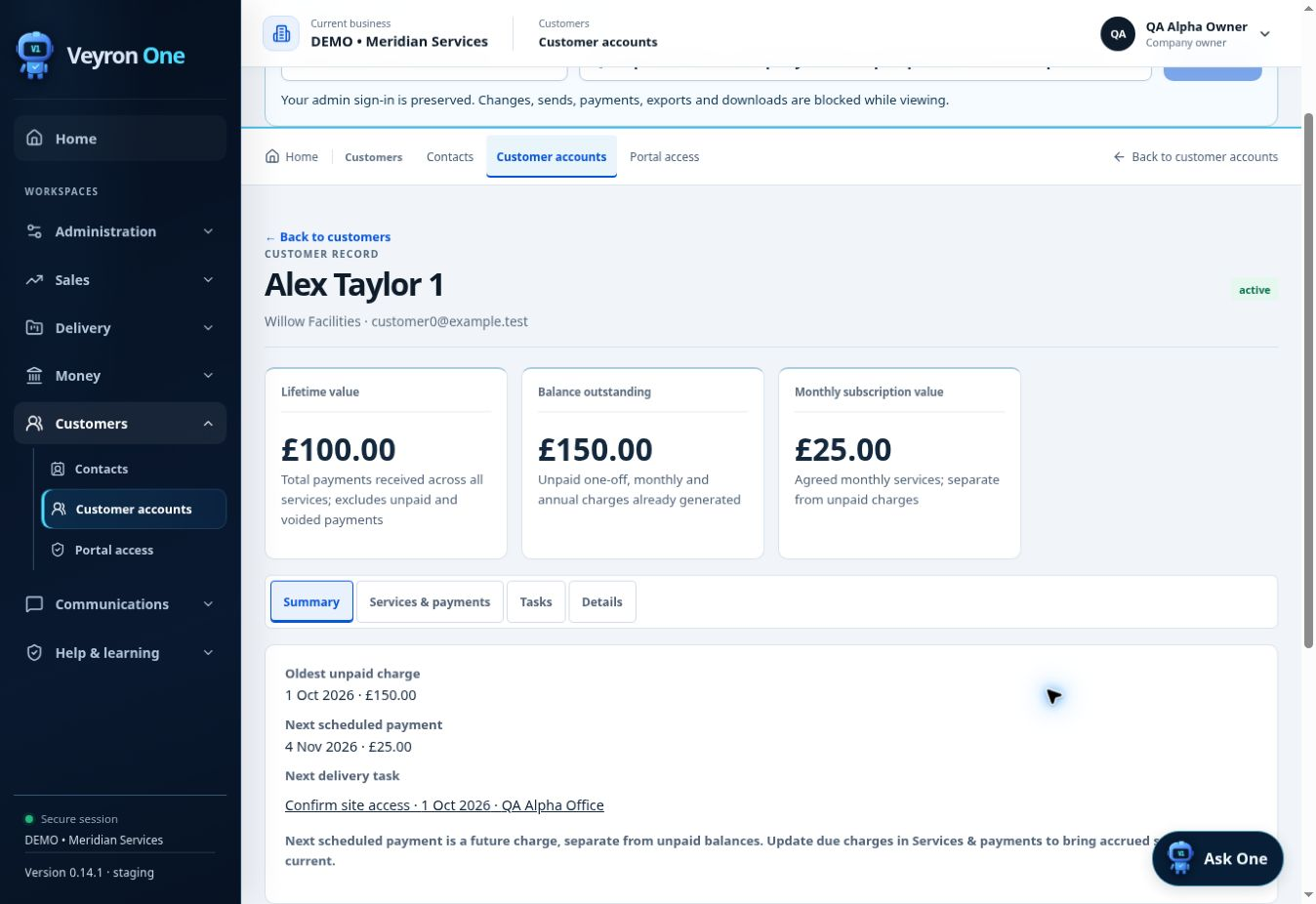
See customer value, balances, services and the next action in a connected account view.
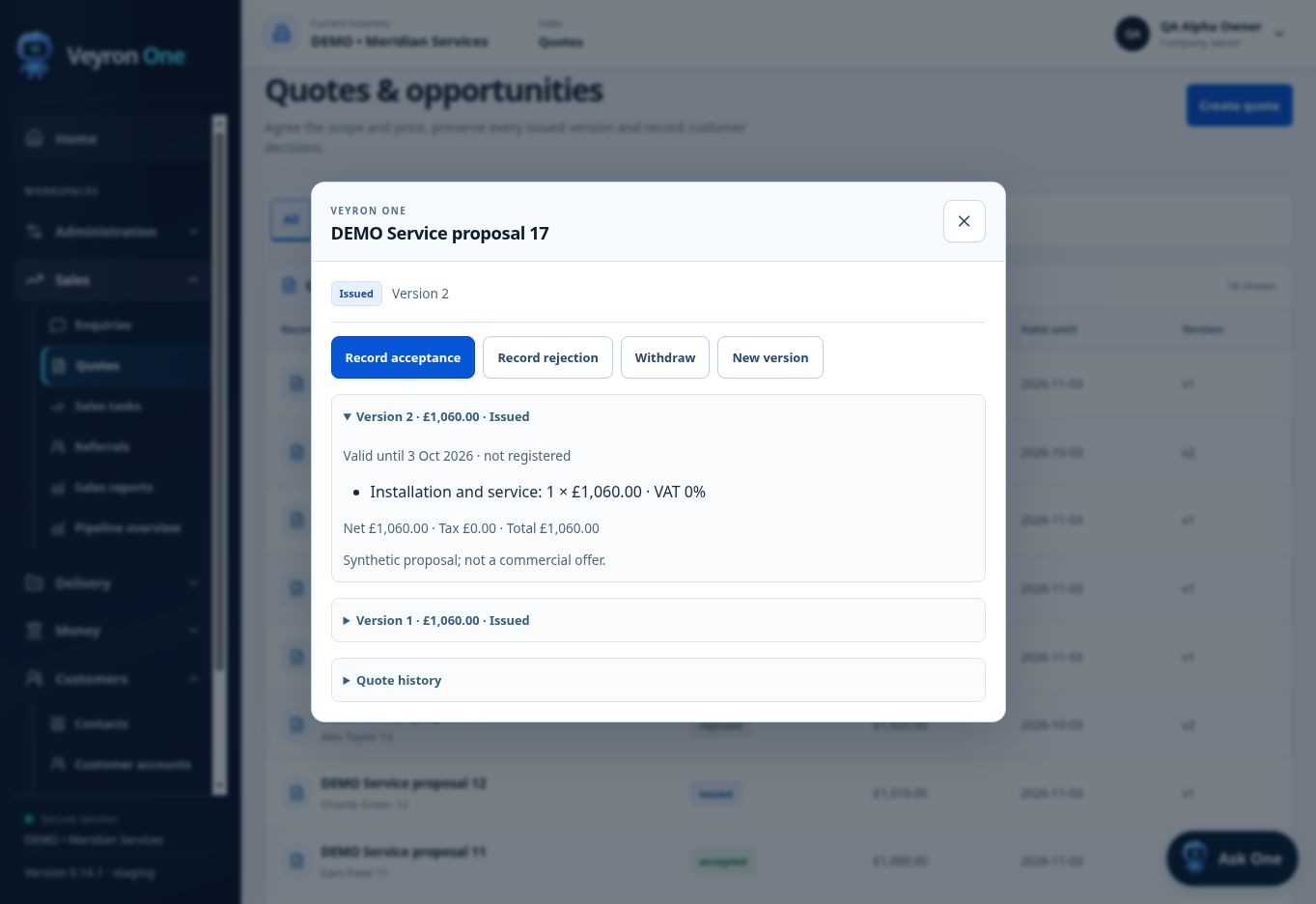
Keep proposal details, totals and quote versions together before work begins.
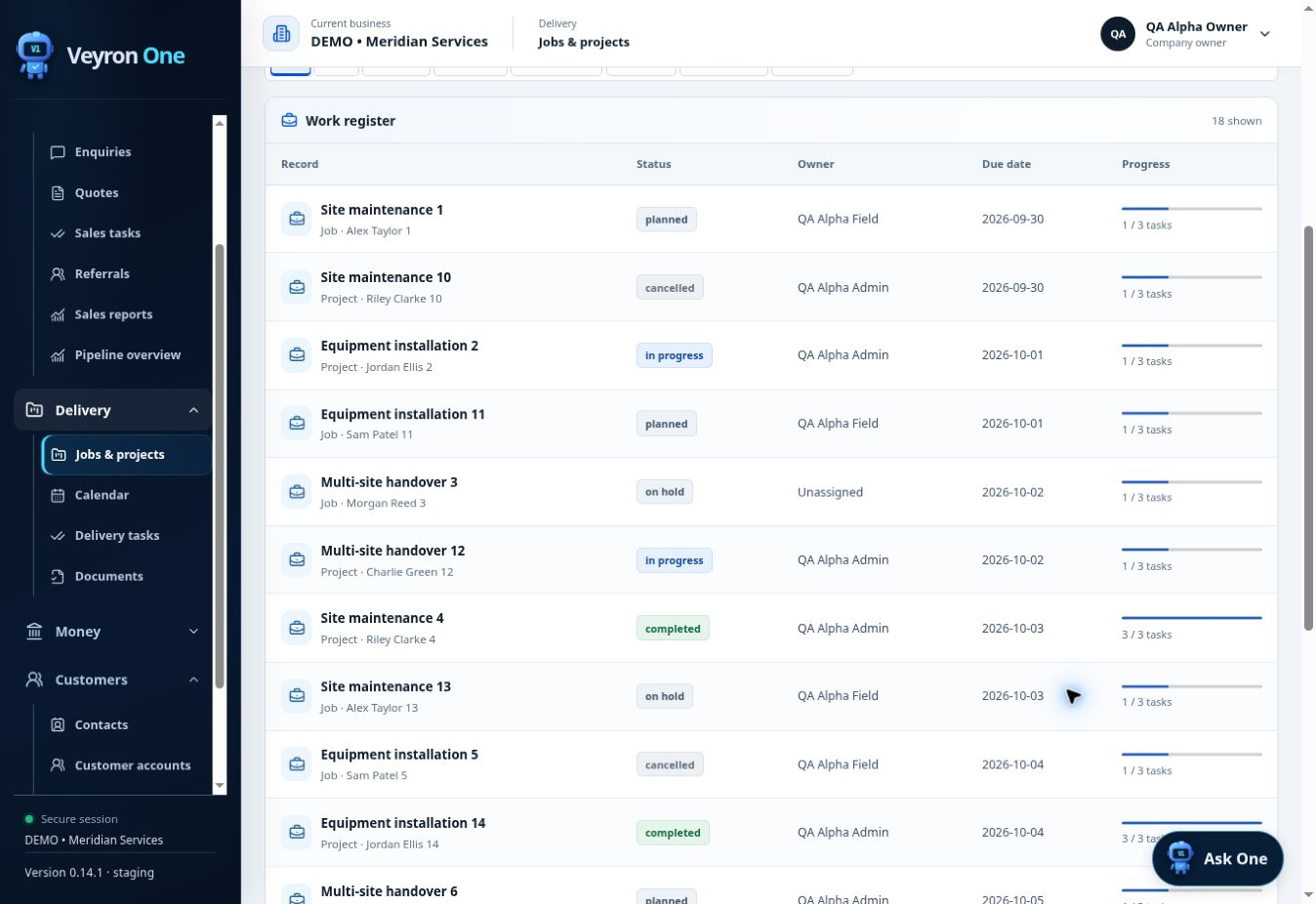
Track jobs and projects by status, owner, due date and progress.
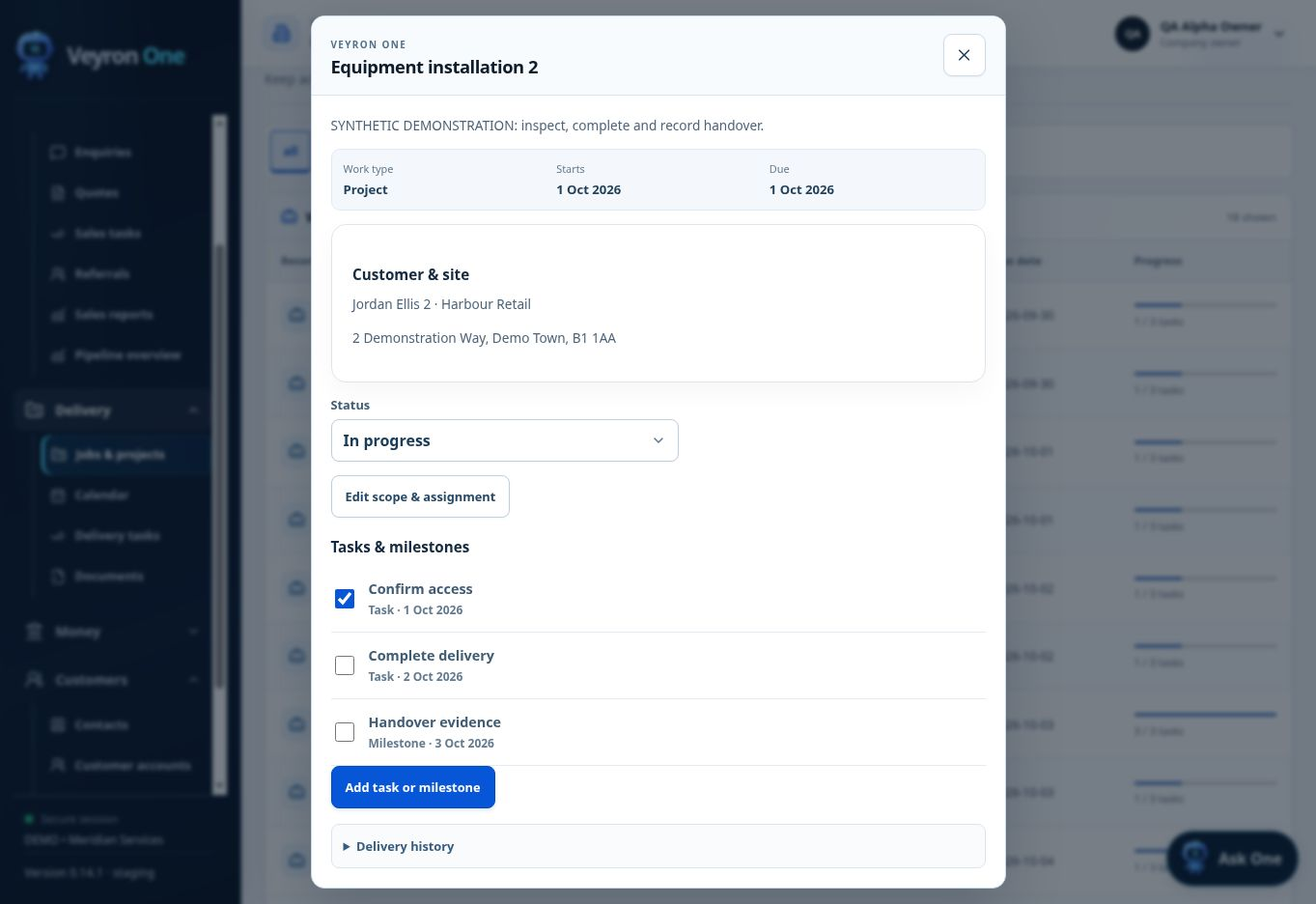
Keep tasks, milestones and delivery history connected to the work.
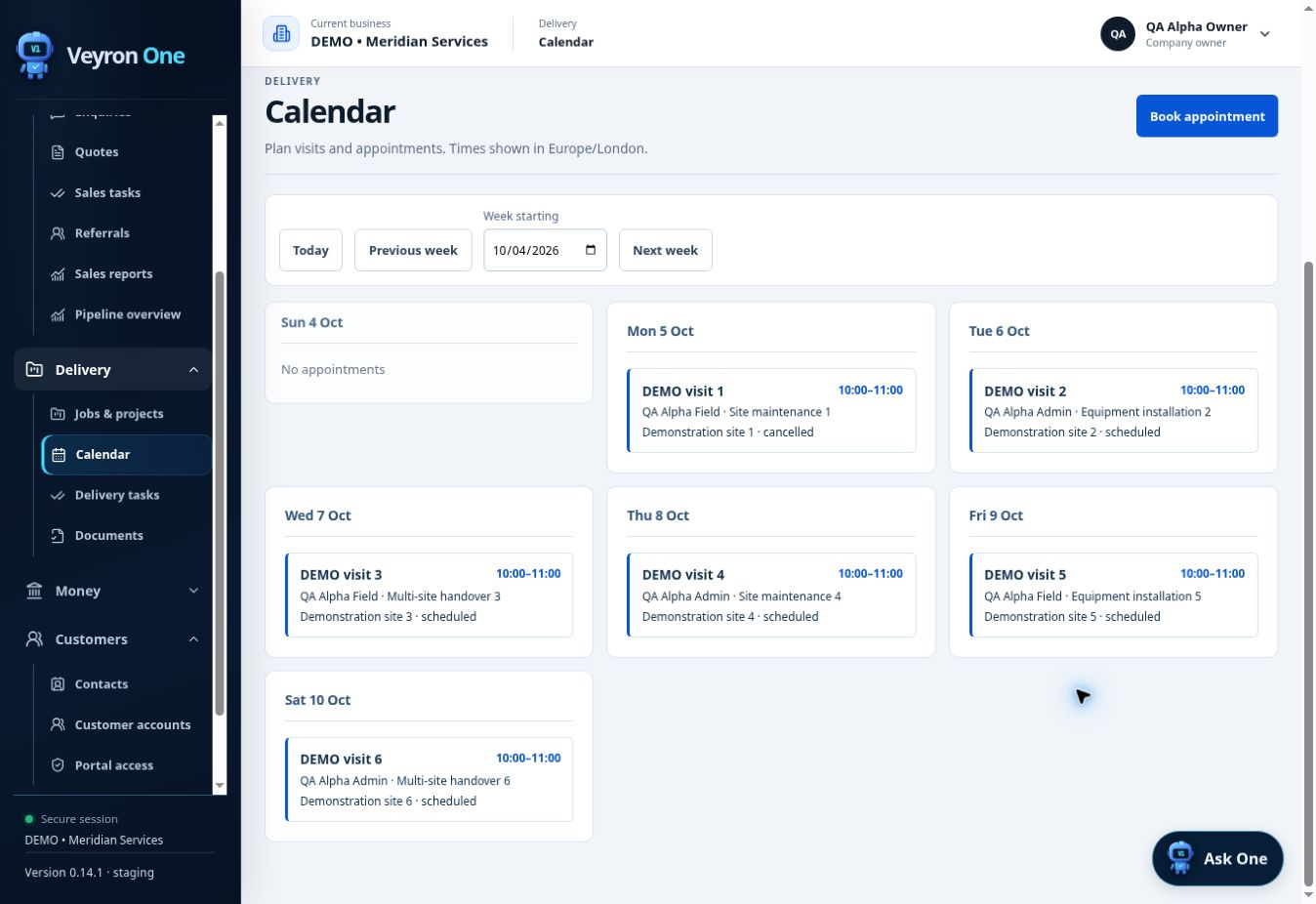
Plan employee visits and appointments with a shared view of the week.
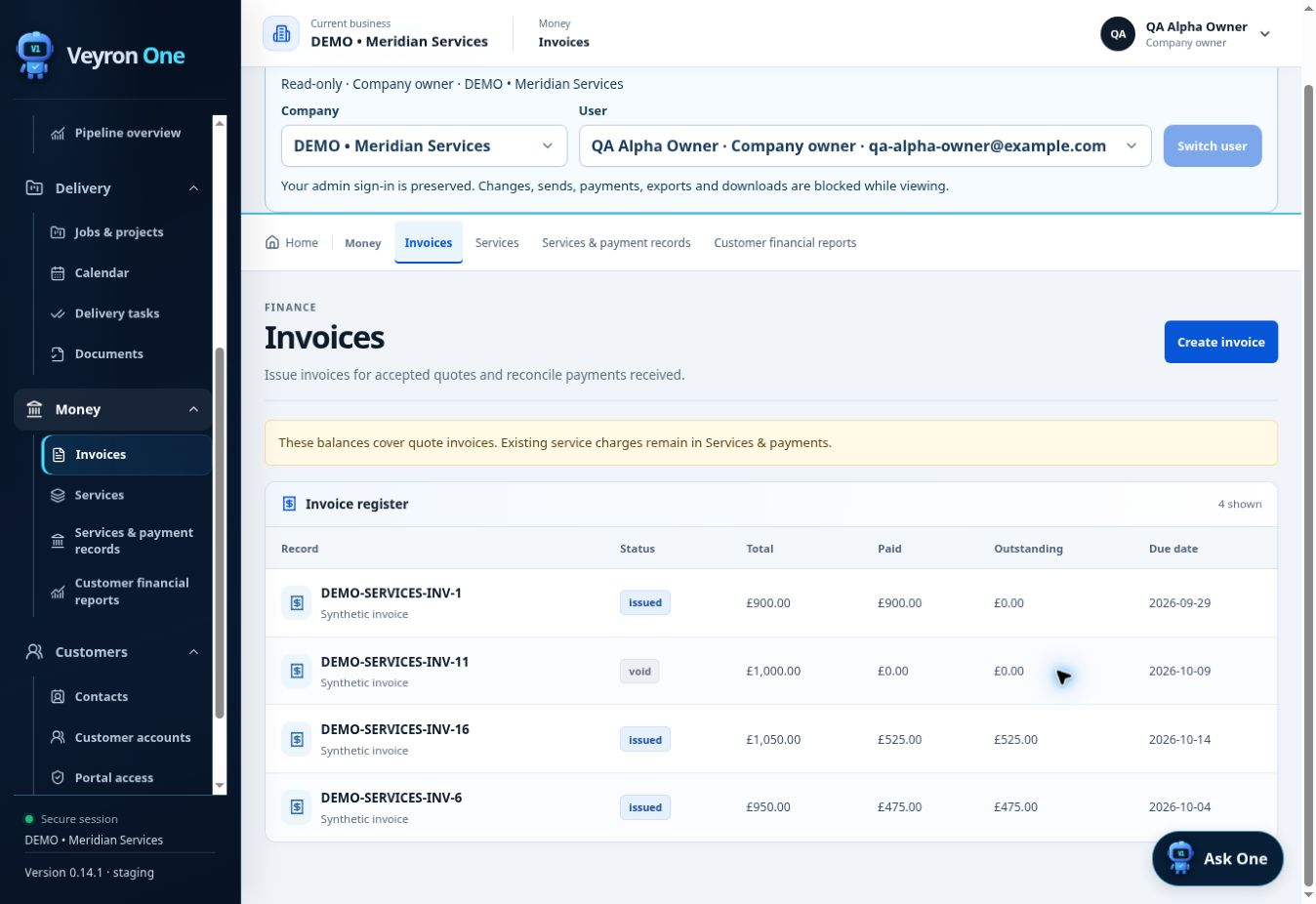
See invoice totals, recorded payments, outstanding balances and due dates.
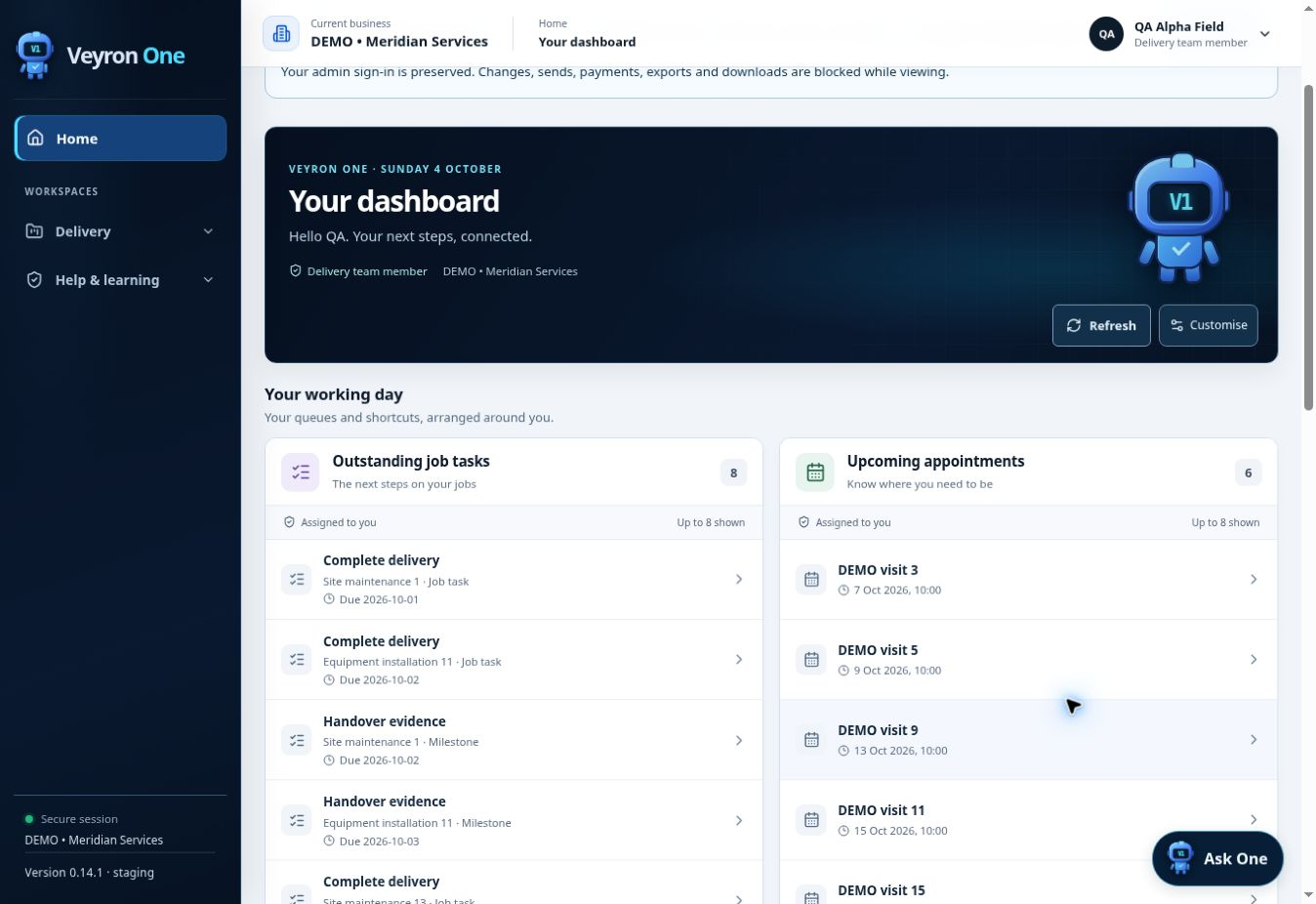
A delivery team member sees their assigned job tasks and upcoming appointments.
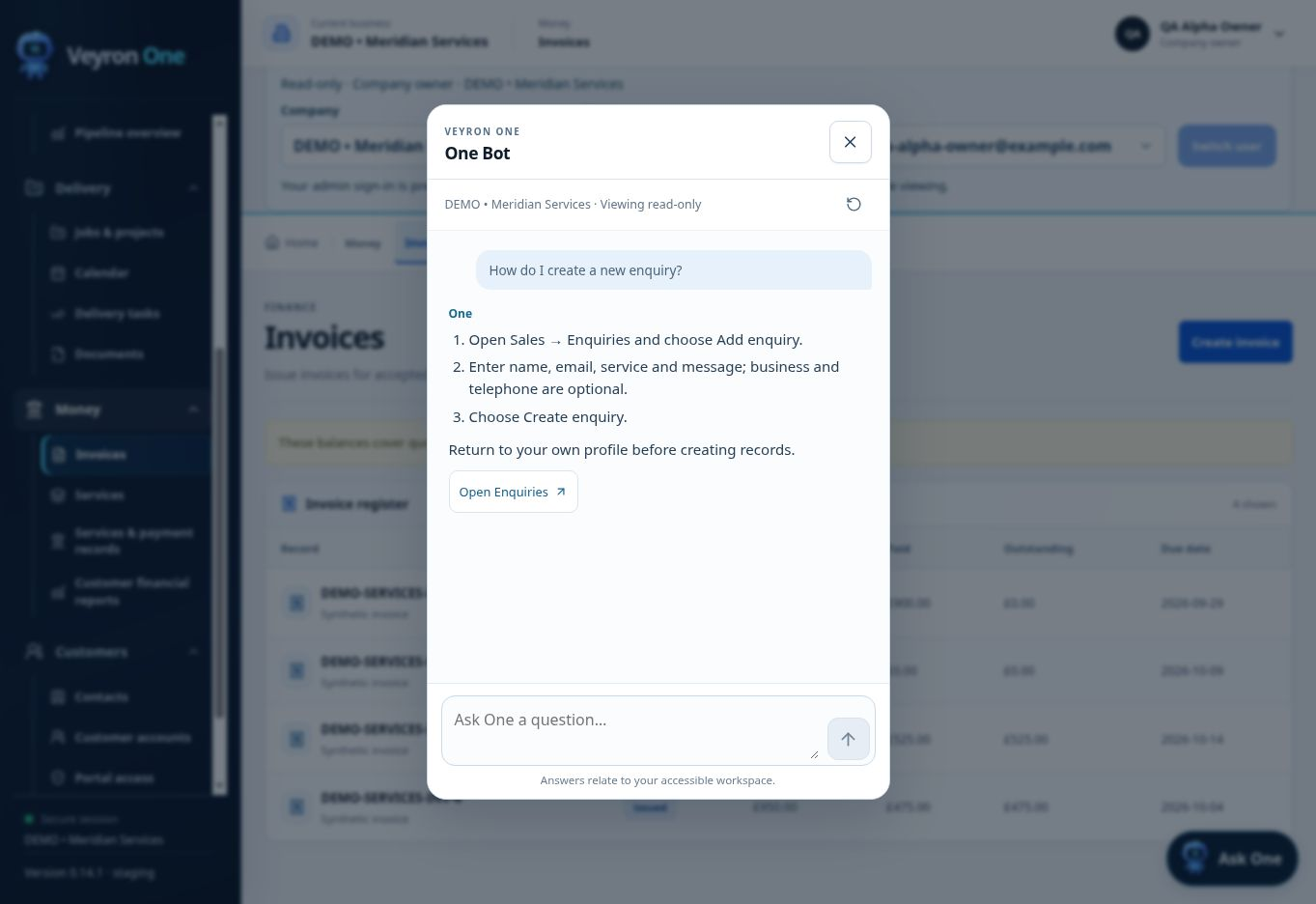
One explains how to use the platform and points you to the right screen. This capture shows enquiry guidance.
Actual product screens with demonstration data. Features and access depend on your selected plan, role and agreed configuration.
Ask One brings your business into the conversation. Find the information you need, spot what needs attention and move work forward in your own words.
REAL QUESTIONS. CLEAR NEXT STEPS.
“What needs my attention today so nothing slips through?”
“Assign a task to the office team to reply to today’s new enquiries.”
“Who is still waiting for a reply from us?”
“How much work is waiting on a quote decision?”
“Create follow up tasks for quotes still awaiting a decision.”
“Which enquiries still need a quote?”
“Who are my most valuable customers?”
“Ask the office team to contact customers who have not booked in three months.”
“What did we agree in our last conversation with John Ramsey?”
“What jobs and appointments are booked this week?”
“Book John Ramsey’s radiator installation in my next available slot.”
“Show me jobs with outstanding tasks before we can finish.”
“How much have we been paid this month compared with last month?”
“What money is due next month, and where is it coming from?”
“Which customers and services bring in the most revenue?”
“Which overdue invoices should I chase first?”
“How much are we owed in overdue payments?”
“Assign the office team a task to chase invoices due this week.”
“Mark John Ramsey’s accepted quote enquiry as won.”
“Assign Sarah’s quote follow up to the office team for Friday.”
“Create a task for the office team to confirm tomorrow’s appointments.”
Choose a topic to explore example requests
Ask One is included with Pro. These examples show questions and actions to explore in your demo. Permitted records, actions and reporting depend on your role and agreed configuration; appointment and task actions are confirmed before implementation.
Yes, where an agreed integration is technically suitable. We review your website and tools before confirming the connection, access and costs.
Ask One is included with Pro. It can find permitted business information and carry out agreed actions such as creating tasks or arranging appointments. Every user sees only the records and actions allowed by their role. Your demo confirms the questions, reporting and actions included in your configuration.
A branded customer portal can be included in an agreed scope. We confirm the records, progress updates, documents and actions each customer may access before implementation.